Guide · Updated October 30, 2026
War Tycoon Trading Guide
How trading works in War Tycoon: unlocking the Trading Hub, sending and accepting trades, what you can trade, how to judge trade values and how to avoid getting scammed.
How to unlock the War Tycoon Trading Hub
All trading in War Tycoon happens in the Trading Hub, a separate non-combat area where nobody can attack you. To get there:
- Rebirth at least once. The Trading Hub stays locked until you have 1 rebirth.
- Go to the second level of your main base and find the Trading Hub Stand. It is free, there is nothing to buy.
- Use the stand to teleport into the Hub. You will see other traders at their stands, with military aircraft flying overhead.
The current mythic limiteds are also on display around the Hub: naval vehicles at the docks, helicopters on the helipad, and planes and tanks on a platform near the docks. Hold the button next to one to open its purchase menu.
How a trade works
- Open the Trading Menu with the Trade button on the right side of the screen.
- Find a partner in the Players tab. It lists everyone on the server with the skins they own and their trade rating. Hover over a player to see their full skin inventory.
- Send a trade request. The other player can accept it, deny it or block you.
- Build the offer. Once accepted, both of you pick skins (and optionally medals) to put in the trade. Every trade needs at least one skin, and the game shows an uneven trade warning if you try to confirm with nothing selected.
- Confirm. Each time either side changes the offer, there is a 3-second cooldown before anyone can confirm, so nobody can swap an item at the last second.
- Rate your partner. Leave a thumbs up or down. Ratings show up next to each trader's name and help others decide who to trust.
The History tab keeps a record of every past trade, and the Ratings tab lets you change ratings you gave. To control who can send you requests, use the Trading With setting at the top right of the menu: Everyone, Friends Only or None.
What you can trade in War Tycoon
- Weapon and vehicle skins, including limited skins from past events. These are the main thing players trade.
- Medals, the premium in-game currency. Medals can be added to either side of a trade, which makes them the common currency for trade values.
Gamepasses, cash and base upgrades are tied to your Roblox account and cannot be traded. If you want those, you have to buy them in the in-game store or from a seller who gifts them to you, see the War Tycoon items for sale.
War Tycoon trade values
Inside the Hub, players price trades in medals. On this site, values come from real market prices in USD, so you can see what an item actually costs to buy. Both are useful: medal values tell you what other traders expect, USD values tell you whether trading is worth it compared to simply buying the item.
Top War Tycoon trade values right now
The highest median market values today. Use them as anchors when you negotiate.
| Item | Category | Lowest price | Median value | Listings | Demand | Action |
|---|---|---|---|---|---|---|
 Destroyer Class Destroyer Class | Ships & Submarines | $42.99 | $42.99 | 1 | Low | |
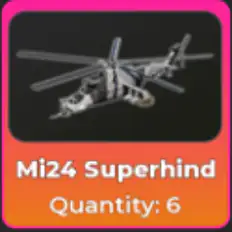 Mi-24 Superhind Mi-24 Superhind | Helicopters | $2.72 | $29.95 | 12 | High | |
 10,000 Medals 10,000 Medals | Medals & Cash | $5.00 | $29.90 | 5 | Medium | |
 F-22 Raptor F-22 Raptor | Planes & Jets | $6.00 | $28.00 | 4 | Medium | |
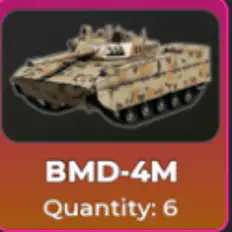 BMD-4M BMD-4M | Tanks & Ground Vehicles | $3.72 | $27.99 | 11 | High | |
 20,000,000 Cash 20,000,000 Cash | Medals & Cash | $15.00 | $26.37 | 33 | High | |
 600 Medals 600 Medals | Medals & Cash | $9.44 | $20.82 | 20 | High | |
 Independence-X Independence-X | Ships & Submarines | $5.20 | $15.48 | 14 | High | |
 F-35 Lightning II F-35 Lightning II | Planes & Jets | $5.50 | $14.98 | 4 | Medium | |
 F-117N Seahawk F-117N Seahawk | Planes & Jets | $4.18 | $14.90 | 13 | High |
See the full War Tycoon value list
Check a trade with the War Tycoon trade calculator
War Tycoon trading tips
- Know both sides before you trade. Add the items to the trade calculator and see if the deal is a win, fair or lose.
- Check the trader's rating. Players with lots of thumbs up and a long trade history are safer partners.
- Ask for overpay on rare limiteds. Skins from finished events cannot be earned again, so collectors pay above their usual value.
- Use medals to even out a trade. If two skins are close in value, a few medals on the lighter side makes it fair for both.
- Bundle smaller skins when you want one bigger item. Several common skins can add up to one sought-after skin.
- Take your time. The 3-second confirm cooldown is there for a reason. Re-read the final offer every time it changes.
- Grind rated trades. Completing trades and collecting good ratings unlocks the better-looking Hub stands below.
How to stay safe when trading
- Only trade inside the Trading Menu. Anything promised outside it, like "I'll pay you later" or "send first and I'll send back", is a scam risk.
- Never share your Roblox password or 2-step codes. No real trade needs them.
- Watch for last-second swaps. If the offer changes, wait out the cooldown and check every item again before confirming.
- Do not click links sent in chat that ask you to log in or "verify" items.
- Use buyer protection for real money. If you buy items with money, use a marketplace that holds payment until delivery, like the offers in our War Tycoon shop.
- Limit requests if needed. Set Trading With to Friends Only or None when you do not want to be spammed.
Trading Hub stands and how to unlock them
Every trader gets a stand in the Hub. Stands are purely cosmetic, they do not change your trades, but they show other players how experienced you are.
| Stand | How to unlock |
|---|---|
| Default Stand | Yours as soon as you unlock the Hub |
| Base Camp | Spend 30+ minutes in the Trading Hub |
| Ranger Stand | Buy it for 10 medals |
| Shipping Container Stand | Buy it for 30 medals |
| Desert Stand | Complete 5 trades |
| Jungle Stand | Get 10 thumbs-up trade ratings |
| City Stand | Complete 25 trades |
Trading vs buying from the shop
Trading is free but slow, and you need the right skins to offer. Buying from the War Tycoon shop costs money but is fast and protected: payment is held until the item reaches your account. Many players combine both, buying the items they need and trading for the rare ones.
Trading Hub details can change with game updates.